The Digital Traveller's Security Checklist: How to Protect Your Data, Banking and Identity Abroad
Your phone holds your boarding pass, MoMo wallet and bank apps. A pre-departure checklist for Ghanaian travellers covering SIM-swap protection, eSIMs, public Wi-Fi, phishing and what to do if something goes wrong.
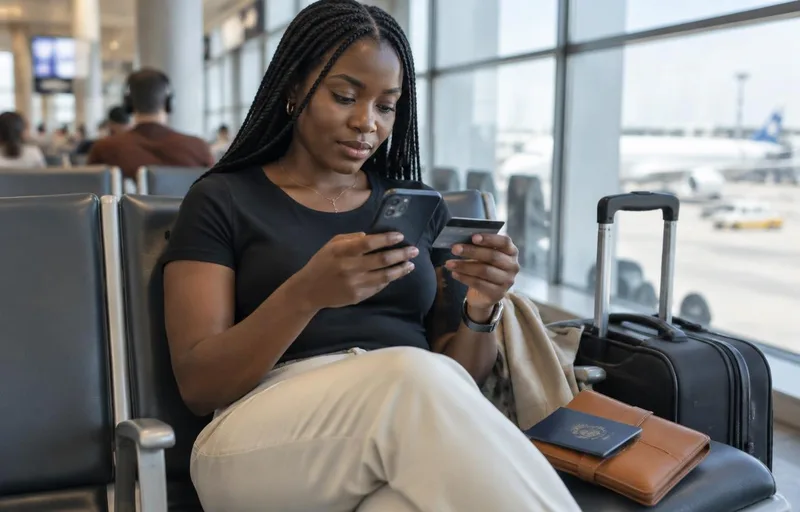
Your passport gets you through immigration, but your phone carries everything else: your boarding pass, your hotel booking, your mobile money wallet, your banking app, your email and, often, the photos of your Ghana Card and visa. Lose control of that phone, or log in on the wrong network, and a dream trip can turn into days of frozen accounts and unauthorised transfers.
This guide covers cybersecurity tips for international travelers, written for Ghanaians heading abroad for study, work, business or holidays. It deals only with your devices, your data and your money. For physical safety, packing and destination advice, see our broader international travel safety tips.
Why Travellers Are Easy Targets for Digital Fraud
Fraudsters like travellers for three simple reasons:
- You are distracted. Long queues, tight connections and jet lag make people click links and accept prompts they would normally question.
- You rely on unfamiliar networks. Airport, café and hotel Wi-Fi is often open or shared with hundreds of strangers.
- Your bank expects you at home. Payments from a new country can trigger blocks just when you need your card most, and fraudsters sometimes pose as your bank to "help" fix the block.
Most of these problems can be prevented with about an hour of preparation before you leave Ghana.
Before You Leave Ghana: Your 7-Day Digital Checklist
Start this a week before departure, not at the airport. If you are relocating to study, add these steps to our checklist for Ghanaian students moving abroad.
1. Update and lock every device
- Install the latest operating system and app updates on your phone, laptop and tablet.
- Use a six-digit PIN or longer, plus fingerprint or face unlock.
- Turn on Find My on iPhone or Find My Device on Android so you can locate, lock or erase a lost phone.
- Back up your photos, contacts and documents to a cloud account protected by a strong password.
2. Secure your email first
Your email is the master key: whoever controls it can reset almost every other account. Before you travel:
- Change your email password to a long, unique passphrase.
- Turn on two-step verification, ideally using an authenticator app rather than SMS codes.
- Save the backup or recovery codes somewhere safe and offline, not only on your phone.
The UK National Cyber Security Centre's top tips for staying secure online are a clear, practical reference for these steps.
3. Protect your Ghana SIM against SIM-swap fraud
In a SIM swap, a criminal convinces a network to move your number onto a new SIM. Every one-time code then goes to them, including mobile money and bank codes. Travellers are at higher risk because their home SIM is often switched off or roaming abroad, so they don't notice the line has gone dead.
- Ask your network what extra protection is available on your line, such as a SIM PIN or a port-out lock.
- Set a SIM PIN on your phone so a stolen SIM cannot be used in another handset.
- Make sure your SIM registration details match your Ghana Card. The National Communications Authority oversees SIM registration rules.
- If your Ghana line suddenly loses service while you still have Wi-Fi, treat it as an emergency. Contact your network and bank immediately.
4. Prepare your mobile money wallet
- Change your MoMo PIN before travelling and never share it with anyone, including people claiming to be from your network or bank.
- Keep only what you need in the wallet and move savings to a bank account with stronger controls.
- Note your provider's official customer service channels from its own website, not from a social media comment or a forwarded message.
5. Call your bank before you fly
- Tell your bank which countries you will visit and when, if it offers travel notifications.
- Switch on instant transaction alerts by SMS, email or in-app notification.
- Set sensible daily limits on your debit card. Raise them only when you need to.
- Carry two cards from different banks and keep them in separate places.
The Bank of Ghana publishes consumer guidance and notices on fraud and approved payment providers.
6. Decide how you will connect abroad
You have three main options, and each has a security trade-off:
| Option | Security | Practical notes |
|---|---|---|
| International roaming on your Ghana SIM | Good: traffic stays on the mobile network | Can be expensive. Keeps your number active for bank codes |
| Travel eSIM (data-only) | Good: no need for public Wi-Fi | Install and test it before departure. Keep your Ghana SIM as a second line for codes |
| Local SIM bought on arrival | Good once active | Buy only from official shops. You may lose access to Ghana-number codes if you remove your SIM |
A dual-SIM or eSIM-capable phone lets you keep your Ghana number active for verification codes while using affordable local data. Flying back into Accra? Our Kotoka Airport arrival guide compares SIM and Wi-Fi options at the airport.
7. Reduce what you carry
- Remove apps you will not need abroad and log out of shared accounts.
- Store scans of your passport, visa and Ghana Card in an encrypted folder or password manager. Don't keep them as loose photos in your gallery.
- Consider leaving a work laptop at home if your employer allows it. Data you don't carry can't be stolen.
At the Airport and in Transit
Public Wi-Fi: assume someone is watching
Airport and lounge Wi-Fi is convenient but shared. Fake hotspots with names like "Free Airport WiFi" are a common trick.
- Prefer your own mobile data or eSIM for anything involving money or passwords.
- If you must use public Wi-Fi, confirm the exact network name with staff and use a reputable VPN.
- Never do banking or mobile money transfers on public Wi-Fi.
- Turn off automatic Wi-Fi joining and Bluetooth when you are not using them.
Charging stations
Public USB ports can, in rare cases, be tampered with. Carry your own wall plug and a power bank, and use a "charge-only" cable if you have one. If your phone asks whether to "trust this computer" when you plug into a public port, choose Don't trust.
Shoulder surfers and boarding passes
- Shield your screen and PIN when entering passcodes in crowded gates and on planes.
- Don't post photos of boarding passes. The barcode can reveal your booking reference and personal details.
- Wait until you are home to share location-tagged photos if your social media is public.
RFID cards: realistic protection
Many bank cards are contactless. Skimming a card through a wallet is possible but uncommon. A simple RFID-blocking sleeve is cheap insurance, but alerts, limits and a quick freeze button in your banking app matter far more.
While You Are Abroad
Spotting fake "bank" and "visa" messages
Expect more phishing while you travel. Common versions include:
- An SMS saying your card is blocked, with a link to "verify" it
- A call from someone claiming to be your bank's fraud team, asking for a code you have just received
- An email claiming your visa or e-ticket has a problem and needs an urgent payment. The same pressure tactic drives fake visa "fixers", as our guide to 48-hour visa panic trips explains
- A WhatsApp message from a "travel agent" offering a cheaper flight change for a payment to a personal account
The rule is simple: never share a one-time code, PIN or password with anyone who contacts you. End the conversation and call your bank or provider back on the number printed on your card or listed on its official website. The US Cybersecurity and Infrastructure Security Agency's Secure Our World guidance explains how to recognise and report phishing, and the NCSC has a short guide on spotting suspicious emails and messages.
Using cards and ATMs safely
- Use ATMs inside banks or well-lit malls rather than standalone street machines.
- Cover the keypad and check that the card slot doesn't look loose or bulky.
- When paying by card, ask to pay in the local currency instead of accepting a conversion to cedis at the terminal. It is usually cheaper.
- Review your alerts every evening, so a problem is caught within hours, not weeks.
Hotel rooms and shared accommodation
- Use the room safe or keep devices with you. Don't leave a laptop unlocked on the desk.
- Avoid logging in to personal accounts on hotel business-centre computers.
- Be cautious with smart TVs: if you sign in to a streaming account, sign out at checkout.
If Something Goes Wrong
Speed matters more than anything else. Work through this list in order:
- Freeze or block your cards in your banking app or by calling your bank's official line.
- Call your mobile network to suspend your SIM if your phone is stolen or your line goes dead.
- Contact your mobile money provider through its official channels to block the wallet.
- Change your email password from a trusted device, then your banking and social media passwords.
- Use Find My / Find My Device to lock or erase a lost phone.
- Report it. File a police report at your destination if a device is stolen, as insurers often require one. Report cyber fraud affecting Ghanaian accounts to the Cyber Security Authority of Ghana.
Good travel insurance can cover stolen devices and emergency costs. Check the policy wording for gadget limits and excesses before you rely on it.
Booking Travel Without Exposing Your Data
Cyber risks start before you even leave home. Fake travel agents and copied social media pages collect passport scans and payments, then disappear. Our article on ghost booking scams explains how fake confirmations are made, and our fraud alert page lists the accounts that have impersonated Secure Travel and Tours. Our guide to fake social media accounts shows how to check a page before you send any documents. A genuine agency should also be able to explain how it stores your passport copies; in Ghana, organisations that process personal data register with the Data Protection Commission.
When you book with us:
- We never ask for payment to a personal mobile money number or a personal bank account. Payments go only to official company channels.
- Our only contact details are 020 444 4220 and info@securetravelandtours.com.
- We can arrange flights and a pre-booked airport transfer with driver details sent before you land, so you don't need to hunt for public Wi-Fi to arrange a ride on arrival.
Planning a late arrival? Read our companion guide on landing safely at night in a new airport. Organising a trip for colleagues or students? Our guide to travel risk management for group tours covers duty of care and operator vetting.
Quick Printable Checklist
- Devices updated, locked and backed up
- Email secured with two-step verification and backup codes saved
- SIM PIN set and network asked about SIM-swap protection
- MoMo PIN changed and wallet balance reduced
- Bank told about travel; alerts and card limits set
- Roaming or eSIM tested before departure
- Encrypted copies of passport, visa and Ghana Card
- Emergency numbers for bank, network and MoMo written down on paper
Want help planning a trip from Accra, with fewer digital loose ends? Book a consultation with our travel advisers.
Disclaimer: This article is general guidance, not professional security or legal advice. Bank, network and mobile money procedures vary; always confirm steps with your provider through its official channels.
Frequently Asked Questions
What are the most important cybersecurity tips for international travelers?
Update and lock your devices, secure your email with two-step verification, protect your SIM against SIM swaps, turn on bank alerts and card limits, use mobile data or an eSIM instead of public Wi-Fi for payments, and never share a one-time code or PIN with anyone who contacts you.
Is it safe to use airport Wi-Fi when travelling abroad?
Airport Wi-Fi is shared and sometimes imitated by fake hotspots. Use it only for low-risk browsing, confirm the exact network name with staff and use a reputable VPN. Do banking and mobile money transfers on your own mobile data or eSIM instead.
How do I protect my Ghana SIM and mobile money while abroad?
Set a SIM PIN, ask your network about SIM-swap or port-out protection, change your MoMo PIN before travelling and keep only what you need in the wallet. If your Ghana line suddenly loses service, contact your network and bank straight away.
Should I use a travel eSIM or roaming on my Ghana number?
Both are safer than public Wi-Fi. A dual-SIM or eSIM phone lets you use affordable local data while keeping your Ghana number active for bank and mobile money verification codes.
What should I do if my phone or bank card is stolen abroad?
Freeze your cards in your banking app or by phone, ask your network to suspend your SIM, block your mobile money wallet, change your email password from a trusted device, lock or erase the phone remotely, and file a police report for insurance. Report cyber fraud affecting Ghanaian accounts to the Cyber Security Authority.